
How do I purchase Ethereum or Bitcoin on Coinbase?
A brief introduction
One of the first things you might wonder if you are new to cryptocurrencies is, “How can I purchase Ethereum or Bitcoin on Coinbase?” One of the easiest cryptocurrency exchanges for beginners is Coinbase, which makes it simple to purchase well-known digital assets like Ethereum (ETH) and Bitcoin (BTC).
Although the procedure is straightforward, there are a few crucial procedures you should be aware of before placing your first transaction. From setting up your account to choosing the proper payment method, learning the basics will help you avoid delays, unnecessary costs, and frequent beginner mistakes.
———————
Step 1: Register for a Coinbase account.
You must have a Coinbase account before purchasing cryptocurrency.
How to proceed:
- Get the Coinbase mobile app or go to the Coinbase website.
- Click “Sign Up.”
- Put in your
- Complete legal name
- email address
- Password
- Make sure your email address is correct.
Tip:
Make use of your actual information. Your account information must match your formal credentials, and Coinbase demands identification verification.
Step 2: Verify your identity completely
Because Coinbase adheres to banking standards, you must authenticate yourself before purchasing cryptocurrency.
You might require:
- ID issued by the government (passport, driver’s license, or national ID card)
- Verification of phone numbers
- Personal information, including birthdate and address
Why this is important
You might not be able to purchase Bitcoin or Ethereum or make a deposit without completing verification.
Tip:
- Verify that your ID is valid and that your photo is clear. Verification can take a few minutes, but occasionally it could take longer.
Step 3: Include a form of payment
You must link a payment method to purchase Bitcoin.
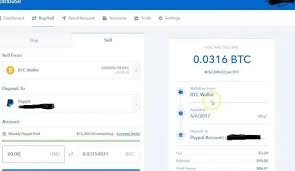
Typical Coinbase payment methods include the following:
- A bank account
- A debit card
- Transfer of wires
- PayPal (country-specific availability)
What is the best way to pay?
A bank account
- Typically, reduced costs
- Excellent for bigger purchases
- Transfers might take more time.
A debit card
- Quicker purchases
- Easy for novices
- Higher costs are typically
Tip:
Linking your bank account might eventually result in cost savings if you want to make frequent purchases.
Step 4: Make a deposit (optional)
Coinbase allows you to purchase cryptocurrency immediately using your payment method in various areas. You might opt to deposit cash first in some circumstances.
To make a deposit:
- Proceed to Assets
- Select the cash balance.
- Click “Add Cash.”
- Enter the sum.
- Verify the source of payment.
Why is this beneficial?
When prices fluctuate quickly, you may make purchases more quickly if you already have money in your Coinbase balance.

Step 5: Look for Ethereum or Bitcoin
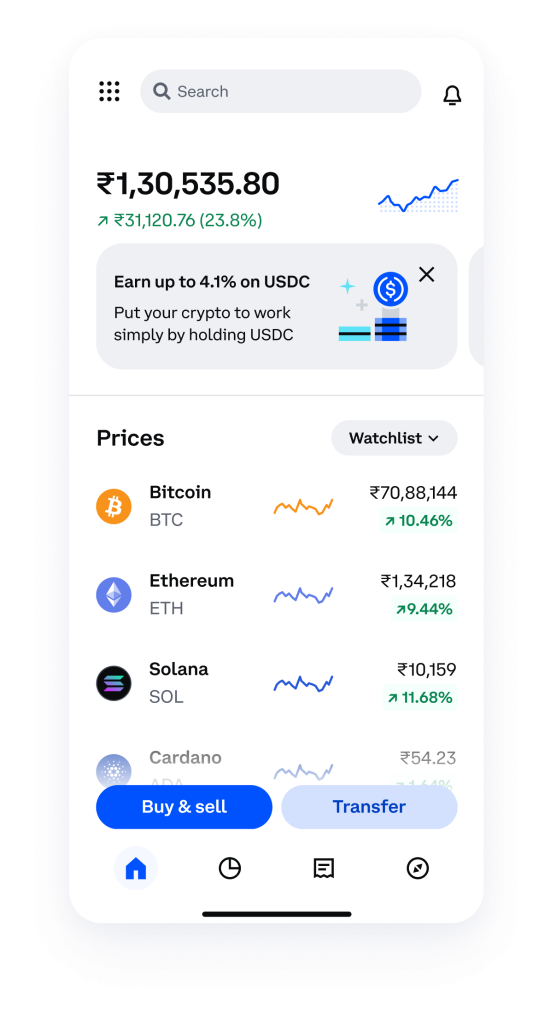
You can select the coin of your choice once your account has been funded.
Common selections:
- The earliest and most well-known cryptocurrency is Bitcoin (BTC).
- One popular blockchain platform for applications, NFTs, and smart contracts is Ethereum (ETH).
How to locate them:
- Make use of the search bar
- Enter Ethereum or Bitcoin.
- Go to the asset page.
Step 6: Enter the desired purchase amount.
You are now prepared to make your purchase.
What you can do
- Put the sum in your native currency, such as $20 or ₹1,000.
- Or input the desired quantity of cryptocurrency.
You do not have to purchase all of Ethereum or Bitcoin.
Example:
- You may purchase $10 worth of Bitcoin.
- Ethereum may be purchased for ₹500
Tip:
Until they grasp how cryptocurrency values fluctuate, beginners frequently start small.
Step 7: Carefully examine the costs
Coinbase will display a preview before your confirmation.
Verify these details:
- Amount of purchase
- Coinbase charge
- Method of payment
- Total expense
- How much Ethereum or Bitcoin will you get
Crucial advice:
Fees may change based on:
- Method of payment
- Purchase quantity
- Conditions of the market
Before pressing “purchase,” always check the total.
Step 8: Verify the purchase
If everything appears to be in order:
- Click “Buy now.”
- Your order will be processed by Coinbase.
- Your Coinbase account will display your Bitcoin or Ethereum.
The cryptocurrency often emerges nearly immediately. However, withdrawals may be temporarily restricted by some payment methods.

———————
Typical errors
1. Purchasing without paying a charge
Many novices overlook Coinbase fees in favor of concentrating solely on the price of cryptocurrencies.
2. Making the incorrect payment
Although debit cards are handy, they sometimes have greater costs than bank transfers.
3. Making excessive investments too soon
Cryptocurrency is erratic. Do not invest money you might need in the near future.
4. Disregarding identification confirmation
Delays may result from attempting to purchase before verification is finished.
5. Purchasing when the market is emotionally charged
Decisions are frequently made hastily out of fear of losing out.
———————
FAQ
1. Can I purchase a small quantity of Ethereum or Bitcoin on Coinbase?
Yes. Purchasing a single coin is not necessary. Fractional purchases are permitted on Coinbase.
2. Is Coinbase suitable for novices?
Yes, because of its easy-to-use interface, Coinbase is often regarded as beginner-friendly.
3. Which is preferable to purchase initially, Ethereum or Bitcoin?
Depending on your objectives, yes. While Ethereum drives blockchain applications, Bitcoin is frequently thought of as digital value storage.
4. How much time does it take to purchase Bitcoin on Coinbase?
The purchase may frequently be finished in a matter of minutes if your payment method has previously been validated.
5. Is a wallet required before making a purchase?
No, Coinbase offers a wallet that is integrated into your account.
———————